

Property management is operationally intensive by nature. Your property managers handle hundreds of units, coordinate with maintenance teams, respond to tenant issues, schedule inspections, track leases, and send regular reports to owners. Yet the tools used to do the work don’t actually do the work well.
Brokerages often run property management on spreadsheets that were never built for this kind of operation. Form builders are low quality and make gathering information clunky. Off-the-shelf property management software costs a fortune and feels dated. Most of them fall apart the moment work moves out of the office. Inspections, maintenance, and handovers happen on-site, yet the software meant to support that work struggles on a phone or tablet.
Communication happens across emails, phone calls, and text messages, and fragments everything further. When data lives in disconnected tools, no one has a clear view of what is current or who last made an update. The work still gets done, but it takes far more effort than it should, and mistakes become easier to make.
This is where custom property management software becomes practical. You can use a no-code platform like Glide to build systems around how your team actually works, without needing an engineering team or long development timelines. Teams can replace data scattered across tools with connected apps that share data, update in real time, and work just as well on-site as they do at a desk.
The impact of custom property management apps looks different depending on who is using it:
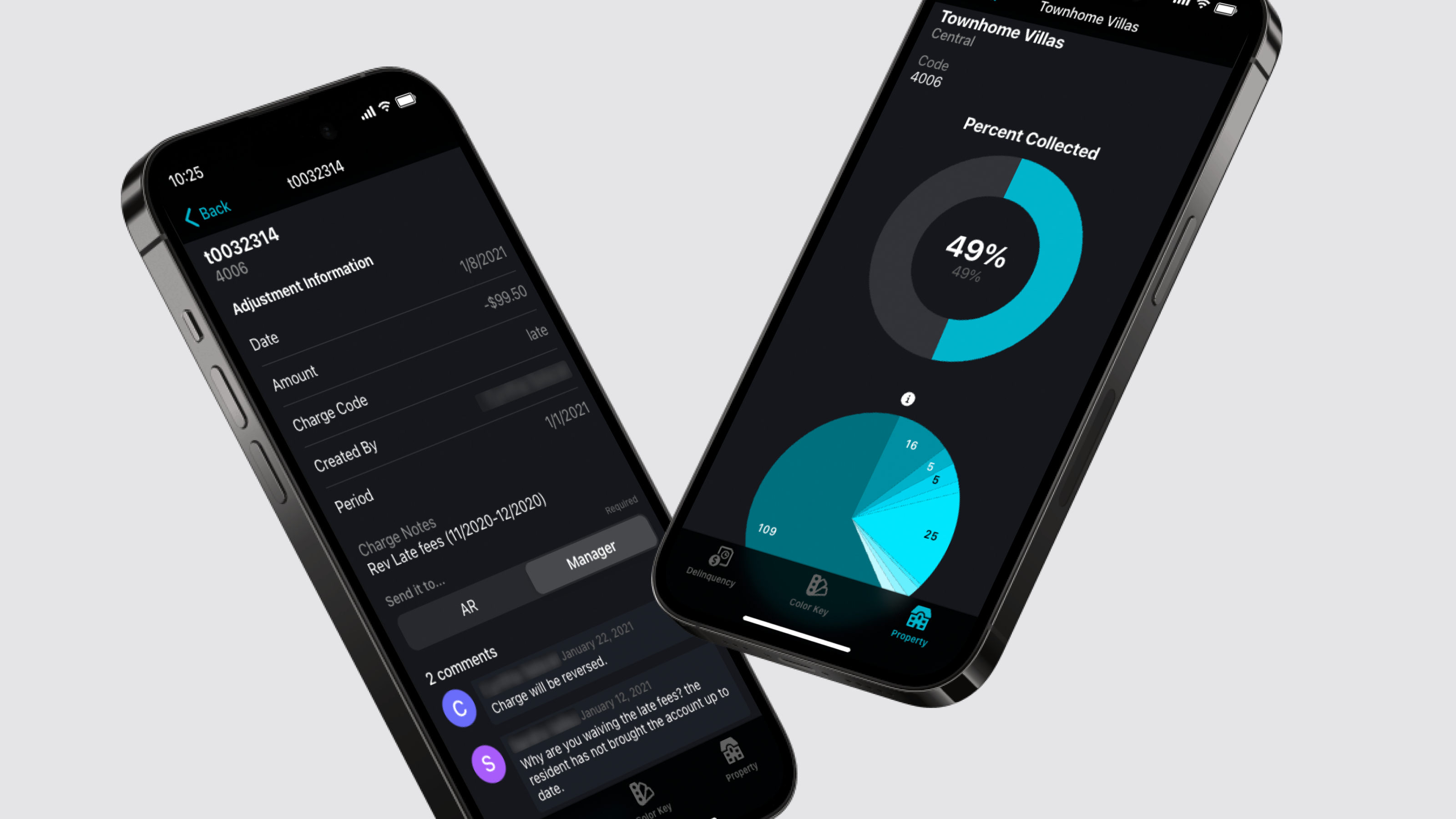
Property managers can see the status of every property they manage, update records as work happens, and stay on top of maintenance, leases, and inspections without chasing information or jumping between tools.
Tenants get a faster, more professional experience with clear ways to submit requests, receive updates, and access relevant information.
Maintenance teams get tools that work on-site, letting them view assignments, upload photos, and update job status directly from the field.
Brokerages can replace spreadsheets and disconnected tools with an organized system that makes information easier to manage and less prone to errors.
Property owners get a real-time view of how their assets are performing instead of waiting for manual reports.
Here’s how custom property management apps help brokerages manage properties more efficiently by turning complex, fragmented work into systems that reflect how the job actually gets done.
Benefits
Custom property management software gives your brokerage more control over how you manage properties at scale. It replaces disconnected tools with software that supports real-time data updates, on-site work, and clear coordination between property managers, tenants, owners, and maintenance teams. Here are its benefits.
Single source of truth: When you build custom apps that share the same database, changes made in one tool show up everywhere else immediately. Your entire team stays aligned on the current status of a property, ongoing maintenance work, and financials without tracking down the latest version of a spreadsheet.
Mobile accessibility: Apps built with Glide are automatically mobile adaptive. You build the app once, and it works equally well on smartphones, tablets, and desktops. Field teams can add updates, upload photos, and report progress directly from the property, which makes it easier to share information while work is still in progress.
AI and automated workflows: You can build AI and automation into custom apps to cut down on repetitive tasks. With Glide’s managed AI, you can easily build intelligent automations to automate even the most complex workflows. Instead of relying on manual follow-ups, the app can schedule inspections based on predefined rules, route maintenance requests to the right person, and send emails or notices to tenants automatically. These workflows keep routine processes moving without constant oversight.
Permissions and access control: You can set up roles and access rules so people only see or edit the information relevant to them. Property managers can be limited to only the properties they’re responsible for, while their supervisors get a view of the entire portfolio. Field teams access the work orders and unit details tied to their assignments, and tenants or owners can log in to see information about the units they live in or own. This keeps data secure while giving everyone the right level of access for their role.
Improved tenant experience: Custom apps give tenants a better way to communicate with their unit’s property manager. They can submit maintenance requests, track when work gets completed, access important documents like lease agreements, and make rent payments without back-and-forth over email or phone calls. When routine interactions feel clear and responsive, tenants are more likely to renew their lease instead of looking elsewhere.
Fast, iterative solutions: With a no-code platform like Glide, anyone with technical skills can build and update apps that scale alongside your business. You can launch solutions quickly and adjust them based on real feedback from those who use them instead of being locked into long and expensive development cycles.
1. Managed properties app
A custom managed properties app gives your brokerage one place to manage every property in your portfolio. Instead of juggling spreadsheets and tools that don’t connect to one another, your team works from a single record that stays up to date across leasing, maintenance, inspections, and reporting. Updates made here sync with your custom apps, and changes made in those apps reflect back into this master record.
You can control access to property data through segmented views and security controls. Users can filter by property, owner, location, or any other criteria you choose.
Super admins can see all managed properties for full portfolio oversight.
Property managers see only those properties they manage.
Owners can access a portal that shows only their assets. If you manage multiple assets for them, these can be filtered.
Each property record brings together all relevant information in one place. You can include photos, tenant history and information, financial charts, and documents like a management agreement, lease agreements, and maintenance reports.
You can also connect this app to an AI Contract Manager, which will extract and display important information like renewal dates and payment terms for your management or lease agreements. Your team can ask the AI agent questions about the contract to get information without manually searching for it.
Keeping all this data tied to the property record makes it easier to track history and reduces the need to search across folders, emails, or spreadsheets.
2. Property listings app
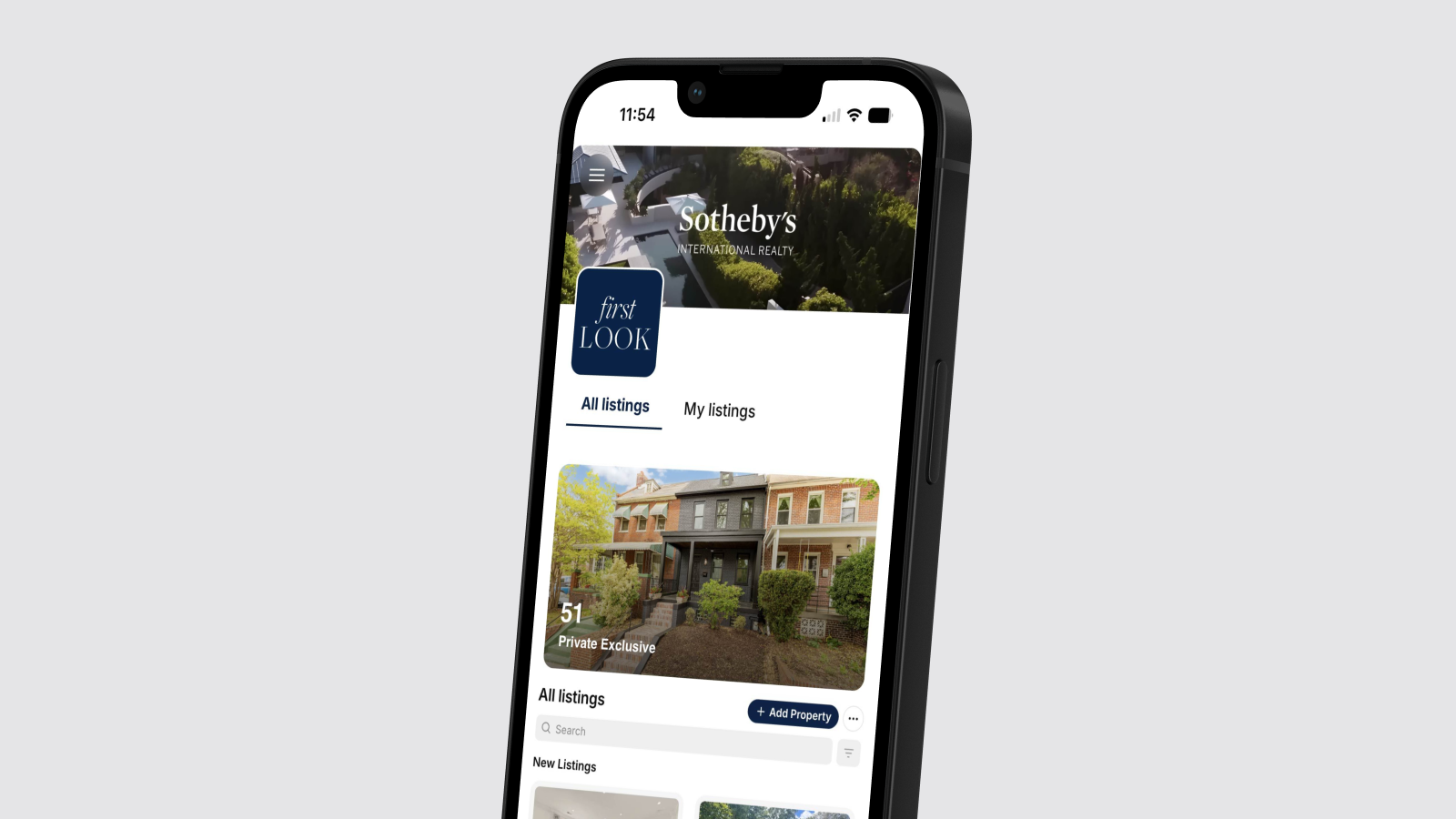
A property listings app helps you fill vacancies faster by giving potential tenants one place to browse available units without relying on phone calls and emails. It replaces spreadsheets, static listings, manual scheduling, and ad-hoc tracking with a live view of what’s actually available.
Property information often lives in spreadsheets that don’t display photos or videos. It becomes hard to find the correct photos when potential tenants call or email. Plus, scheduling a viewing needs manual coordination between your calendar and theirs, leading to lost time and lots of back-and-forth.
With a custom app, tenants can view media-rich listings with photo or video tours of each unit. They filter properties by price range or requirements like number of bedrooms, which helps them narrow down options and discover other properties in your portfolio that could work for them. When they find a property they want to see, they fill out a form in the app to request a showing.
The property manager replies directly from the app using email integrations that connect to their usual inbox. The entire conversation stays tied to the specific property and request instead of being scattered across separate threads and tools.
The app also helps people discover that a property’s available for rent on-site itself. A for-rent sign or notice in a building entryway can include a QR code that links directly to the app. Someone walking by can scan the code, view the unit’s photos and information, and contact the property manager from the listing on their phone without needing to call or send an email.
3. Tenant screening app
A tenant screening app helps your team review applications faster and more consistently with AI. It reduces the hours manual review work that property managers typically handle. Your team can evaluate tenants using standardized criteria, reducing biases and inconsistent decisions.
Reviewing tenant applications today often means digging through emails, attachments, and separate files just to piece together a single applicant’s story. It slows everything down and makes it easier to miss important details when volume is high. A tenant screening app brings all of this into one place so potential tenants can apply directly through the app.
They can fill out an application form, upload required documents, and share their contact information. All of this information stays tied to the application, so property managers don’t need to track emails, attachments, or separate files to understand an applicant’s profile.
AI scans and summarizes applicant inputs and PDF attachments, extracts relevant details from documents, highlights potential risks, and catches inconsistencies. It consolidates all the extracted information into a single view and can provide a custom fit score based on your criteria.
AI doesn’t make the final decision, which always remains with the property manager. The app focuses on surfacing important information early, reducing long review times, and lowering the chance of missing details when working through a high volume of applications.
Your team can communicate with applicants directly from the app through integrations for SMS, email, and phone calls. If they need more information or want to chat with a potential tenant about their application, they can initiate that conversation without switching to another platform.
type: embedded-entry-inline id: 6ChQ0HCNnPR5g3wfbjB6z1
4. Lease management app
A lease management app keeps all your lease documents and workflows in one place and automates the repetitive, paperwork-heavy parts of property management. Instead of tracking dates, documents, and payments across spreadsheets and emails, you use one system that drafts agreements, handles rent, and supports renewals and move-outs.
Lease details often live across email threads, shared drives, and spreadsheets, which makes it hard to see where each tenant is in the lease lifecycle or what needs attention next. Property managers end up spending a lot of time chasing dates, documents, and payments instead of relying on a unified system to keep everything current.
A lease management app centralizes your lease documents, payment tracking, and tenant records in one place. You can connect this app to your tenant screening app. When an applicant is approved in the screening app, the system will automatically create a tenant record in the lease management app and add all the relevant documents. Your team doesn’t have to waste time creating a duplicate tenant record with the same information.
You can set up the app to handle key steps in the lease lifecycle. For example, you can:
Draft lease agreements from templates
Calculate rents based on unit details or agreed terms
Collect rent from tenants
Track when payments are deposited to the owner
Send automated renewal reminders
You can connect platforms like ClickPay to your app so that tenants can pay rent from the app itself. If you also accept checks, you can take a photo of the check, have AI read it using OCR technology, and automatically update the tenant’s record with the payment details.
Tenants get their own portal to pay rent and view their documents. This gives tenants a single place to see their lease, notices, and any related paperwork.
Renewals and move-outs also become easier to manage when you build them into the workflow. The app can automatically send lease renewal reminders ahead of expiration dates. If a tenant doesn’t renew a lease, the app can trigger a handover workflow that generates a checklist for next steps. It can connect to the property inspections app and the property maintenance app, helping teams coordinate cleaning, repairs, and inspections as part of the post-tenancy process.
Westland Real Estate Group built a custom app to better control payment-related work. As a result, the team stayed on top of all payments, avoided missed follow-ups, and reduced the amount of manual paperwork involved in lease management.
type: embedded-entry-inline id: 5tEC7ET6kXz6pCmR8GJp82
5. Work order management app
A custom work order management app runs the entire maintenance workflow from request to completion. It receives maintenance requests, assigns them to the right people, tracks progress, and automates the follow-up that usually happens across calls and emails.
Maintenance requests often cover a range of issues from plumbing and electrical work to HVAC and general repairs. When your team is dealing with requests across different rental units in different buildings, it becomes difficult to track what is open, who is assigned, and what still needs follow-up. A work order management app allows you to build structured systems to manage each tenant request.
Tenants, maintenance crew, and property managers have different views and actions they can perform:
Tenants submit maintenance requests, attach images that show the problem, and can then check back in to see its status instead of repeatedly calling the office.
Maintenance teams and contractors receive jobs directly on the app, which works on their phone or tablet while they’re on-site. They update job status as work progresses and upload before and after photos to record completion. They can also fill out structured forms that capture details like materials used or the time spent on the job, so you have accurate records for each request.
Property managers work from a dashboard that shows all assigned, in-progress, and overdue jobs in real time. They can step in to reassign work, handle exceptions, and confirm that nothing slips through the cracks.
AI can handle much of the triage work automatically. When a tenant submits a request, AI can read the description and attached photos, categorize the issue, assign a priority level, suggest a fix, and estimate the cost before routing it to the appropriate maintenance crew. This cuts down on manual work and gets urgent requests handled faster.
The app can automatically generate monthly PDF reports for each contractor. Details like job, date, assigned crew member, and property information automatically get pulled in from the contractor’s history. Property managers can review these reports for accuracy and send them to vendors with a single click in the app. This makes end-of-month invoicing easier for your finance team to reconcile.
You can also generate monthly reports for property owners to show completed work and demonstrate that your team is taking care of their properties.
Glide Experts V88 agency built a property management app for Silverbirch Boutique Estate and Lettings Agency, which handles tenant requests and work order scheduling. Automating the entire workflow means staff were not fielding calls and similar communications, which resulted in a 75% reduction in inbound calls and emails to the office.
type: embedded-entry-inline id: 5ZAWbe11VnsmAeZSKfevYA
6. Property maintenance app
Your management agreement may also require your brokerage to maintain a building’s common areas. A property maintenance app automates common area upkeep for spaces like landscaping, hallways, entryways, and stairways. It gives building superintendents and property managers a structured system for handling routine and ad hoc work without relying on emails or separate tracking tools.
Without a system like this, common area maintenance often relies on spreadsheet data, reminders that come too late, manual scheduling, and emails going back and forth. Routine tasks get missed or delayed, one-off issues take too long to coordinate, and property managers lack a clear view of what work is scheduled or outstanding across buildings.
A custom app solves this by giving your team a place to track and schedule maintenance for all areas of the building.
Some common area maintenance tasks need to happen on a regular schedule, like landscaping every two weeks or HVAC filter replacements every quarter. You can set up the app to automatically schedule these jobs at defined intervals. Ahead of each due date, the app notifies everyone involved: the maintenance contractor, building superintendent, and property manager. As with work orders, contractors update job status on-site and take and upload photos directly from their phone. This keeps routine work on track without anyone needing to remember due dates or send manual reminders.
Building superintendents also use the app to submit requests when issues come up that require contractors, like major plumbing problems or equipment malfunctions. They can raise a ticket, and snap and upload photos directly from their mobile device. AI reads the request and images, calculates what the work is likely to cost, and adds that estimate to the maintenance record. Property managers can review and initiate a request for a contractor to visit the site.
When maintenance work may affect tenants, your team can create notices directly in the app. They can start from templates or use generative AI to draft the message, and send it through email or SMS integrations. Because tenants are connected to a specific property in the system, the right people get notified about work that may impact them.
You can also connect the app to your lease management app to handle turnover maintenance. When a lease isn’t renewed, the property or unit gets assigned for turnover tasks like thorough cleaning and repairs when the tenant has moved out. This workflow helps your team get units ready for new tenants without manual coordination.
type: embedded-entry-inline id: 10Fe7OctCqbGqAdUQCE6YP
7. Property inspections app
A property inspections app lets your team conduct inspections on-site using a mobile device and keep a complete inspection record tied to each unit. All records stay tied to the property, so your team can track property conditions over time without relying on paper forms or follow-up data entry.
Without a dedicated system, inspections often still rely on paper forms, emailed photos, and notes that need to be typed up later. That makes it hard to capture details accurately on-site or build a reliable history of a unit’s condition over time.
A custom app lets your team conduct inspections directly in the app while they’re on-site instead of relying on paper checklists or post-inspection write-ups.
They use the app on their phone or tablet to document what they see as they move through the unit, taking photos and recording voice notes to describe their observations. Glide’s AI pulls together the photos and notes to produce a structured inspection report for that unit on that date.
Over time, this creates a reliable inspection history for each unit. When a tenant is moving out, you can compare move-out photos with earlier inspections or move-in records. This helps your team assess the condition of the property more consistently and reduce disputes around damage or wear.
Inspection scheduling fits naturally into leasing workflows. You can schedule inspections at regular intervals or have them triggered automatically by leasing events such as a move-out. This makes inspections part of the post-move-out process rather than a separate task someone has to remember to set up.
Access to inspection information changes depending on who’s using the app:
Inspectors conduct inspections directly from the app and can review their own results.
Property managers see and approve inspection reports across multiple managed properties.
Tenants can view inspection reports for the units they live in, which gives them transparency into the process without exposing raw notes.
To keep inspections running smoothly, you can automate reminders. The app can automatically send email reminders to tenants when an inspection is scheduled so they know when to expect someone.
8. Employee portal app
An employee portal app gives your brokerage a single place to manage internal operations. You use it to onboard new hires, share training and resources, and handle everyday questions without relying on emails, shared drives, or word of mouth.
All important information lives in a structured internal knowledge base. You can store policies, handbooks, training materials, and other resources in a searchable library. Whether someone is looking for maintenance protocols or compliance guidelines, they can pull up the right document without asking around or digging through shared drives. When something changes, you update the information once in the portal so it stays current and easily accessible by all staff.
As teams expand, finding the right person also becomes harder. The app includes a searchable staff directory that property managers can access across the entire organization. They can filter by name, role, or other criteria to quickly identify who to contact, even when teams work across multiple properties or departments.
You can also build workflows to support ongoing professional development. At RDG Planning and Design, employees submit education requests directly through the app. Managers review and approve those requests, schedule courses, budget resources, and allocate time all from within the app. This creates a clear process for learning and development and makes it easier to support continued education across the team.
Get a unified property management system built for your operations
A good way to get started with custom property management software is to focus on one process. Pick an area where your team is clearly slowed down today and build your first Glide app around that workflow.
Once you’ve narrowed it down, the next step is to decide how to build it. You can build your apps from scratch using drag-and-drop components without writing code, even if you don’t have an engineer on your team. If you want to work faster, and get experienced guidance, you can work with a professional Glide Expert or no-code agency to scope, build, and launch the app.
Once your first app is in daily use, you can build more custom apps for other workflows that are connected to the same property and tenant data.
Over time, this replaces scattered tools and unreliable data with a system that reflects how your brokerage actually runs its property management work.


